
JustFixPrinter
Search Setup steps Find your drivers Guides (PDF) Videos Troubleshooting Knowledge Base Help Center
Home/ Knowledge Base/ Canon Ink Cartridge Types Explained
Knowledge Base · Maintenance

Canon Ink Cartridge Types Explained: PG, CL, XL, and MegaTank

By Dianna · Published July 11, 2026 · 6 min read

Canon's cartridge codes look cryptic at a glance, but they follow a consistent, logical pattern once you know what each letter stands for.
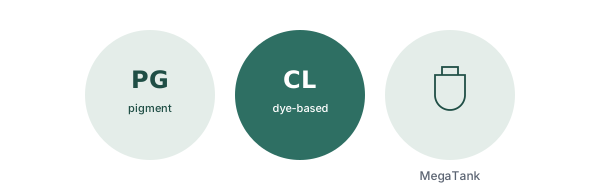
Illustration of a Canon ink cartridge

PG vs. CL — what the letters actually mean

Canon's cartridge codes tell you the ink type, not just an arbitrary model number:

  • PG (or PGI) stands for pigment ink — used for black cartridges. Pigment ink sits on top of the paper rather than soaking in, which makes it sharper for text and considerably more water- and fade-resistant. It's the reason a printed document survives a coffee spill better than a printed photo.
  • CL (or CLI) stands for Canon's "ChromaLife" dye-based color ink. Dye ink produces more vibrant, true-to-life color, which is why it's used for the color cartridges — better for photos, more prone to smudging than pigment ink.

Some higher-volume Canon lines (MAXIFY) use pigment-based ink for color cartridges too, trading some vibrancy for better smudge and marker resistance on business documents — the same core tradeoff, applied differently depending on what the printer line is built for.

Standard vs. XL vs. XXL

Same concept as most printer brands: these are yield (ink volume) options, not different physical cartridges. A Standard, XL, and XXL version of the same cartridge number are exactly the same size and install identically — XL and XXL simply hold more ink, at a lower cost per page. Not every cartridge number offers all three tiers; check your specific printer's supported list.

Individual cartridges vs. combined tri-color

Depending on the printer, Canon uses either:

  • A single combined color cartridge holding cyan, magenta, and yellow together (labeled CL, like CL-246) — simpler to stock, but you replace the whole cartridge even if only one color ran out.
  • Fully separate cartridges per color (labeled CLI, like CLI-281) — more cartridges to keep as spares, but no wasted ink from healthy colors.

If you have only two slots in your printer, you're on the black-plus-combined-color system. Four or more slots means individual cartridges.

Matching your printer to its cartridge series

Canon's cartridge numbers are tied to specific printer generations, not universal:

  • PIXMA MG and MX series typically use PG-243/CL-244 or PG-245/CL-246
  • PIXMA TS and TR series typically use PG-275/CL-276 or PG-280/CL-281
  • PIXMA iP and iX series typically use CLI-36 or CLI-251

These are common examples, not a universal list — always confirm your exact cartridge number against your printer model on Canon's own support site, or check the number printed directly on your current cartridge.

Canon MegaTank — refillable bottles

Canon's MegaTank printers (most of the PIXMA G-series and some MAXIFY GX models) skip cartridges entirely in favor of refillable tanks topped up from ink bottles. Each bottle has a uniquely shaped nozzle that only fits its matching color tank, which prevents accidentally filling the wrong color. The tanks hold enough ink for thousands of pages — meaningfully more than the 150–200 page range typical of cartridge-based printers — making MegaTank the better long-term value for high-volume printing, at the cost of a higher upfront printer price.

Need to actually replace a cartridge right now?

Our full guide covers installation mistakes, storage, and the original-vs-compatible ink question.

Read the replacement guide

Read next

HP Ink Cartridge Types Explained

Standard vs. XL, HP Instant Ink, and HP SmartTank.

Read the article →

Ink and Toner Replacement: A Complete Guide

When to actually replace a cartridge, and common installation mistakes.

Read the article →

Printer Printing Blank Pages? Here's Why

Real causes, and how a nozzle check tells you which one you have.

Read the article →

JustFixPrinter is an independent guide and is not affiliated with, endorsed by, or in any commercial relationship with HP, Canon, Brother, Epson, Lexmark, Ricoh, Xerox, Konica Minolta, Kyocera, Dell, Samsung, Toshiba, Panasonic, OKI, Fujitsu, Cricut, Tally, or any other printer manufacturer. Brand names and logos belong to their respective owners and are referenced solely to identify the products our guides cover. Always download printer software from the manufacturer's official website — links to each are provided above. Full disclosure →

About  ·  Our Writers  ·  Privacy Policy  ·  Terms of Use