Plain-language setup and troubleshooting guides for common printer problems across Windows, Mac, Wi-Fi, scanning, paper handling, drivers, and major printer brands.
Plain-language help for HP setup, HP app, drivers, Wi‑Fi, USB, iPhone, Android, Windows, Mac, Chromebook, Linux, and setup problems.
Read guide →About HP printers, official HP setup links, HP Smart, warranty and registration starting points, manuals, model pages, and JustFixPrinter HP troubleshooting help.
Open HP resources →About Canon printers, official Canon support links, warranty information, contact options, manuals, model pages, and JustFixPrinter Canon troubleshooting help.
Open Canon resources →About Brother printers, official Brother support links, warranty information, manuals, model pages, Mobile Connect, and JustFixPrinter Brother troubleshooting help.
Open Brother resources →About Epson printers, official Epson support links, warranty information, manuals, model pages, Smart Panel, and JustFixPrinter Epson troubleshooting help.
Open Epson resources →About Lexmark business printers, official Lexmark support links, warranty information, manuals, model pages, networking, security, and JustFixPrinter Lexmark troubleshooting help.
Open Lexmark resources →A jam in the automatic document feeder is a different mechanism than a tray jam, and pulling paper the wrong way can damage the rollers.
Read guide →Why AirPrint fails to find your printer or stalls mid-job on iPhone and iPad, and the checklist that resolves it.
Read guide →The real causes of blank-page printing, from clogged nozzles to a cartridge that isn\'t actually installed correctly, and how to tell which one you have.
Read guide →On printers without a screen, blinking lights are the only error messages you get. How to read the pattern for your model.
Read guide →Why borderless printing adds an unwanted white edge or crops the image, and how to fix the paper size and margin settings that cause it.
Read guide →Why printers reject genuine cartridges with a \'not recognized\' error, and the correct fix order — from reseating to a firmware update.
Read guide →How ink and toner cartridge numbering, XL sizing, and tank systems actually work, explained for HP, Canon, Epson, Brother, and Lexmark.
Read guide →The correct order to unclog a print head — from the built-in cleaning cycle to a manual soak — and how to avoid making a stubborn clog worse.
Read guide →Regular cleaning prevents feed jams, scan streaks, and dust-related sensor errors. Here\'s the safe way to clean the parts that actually affect performance.
Read guide →A plain-language breakdown of the four categories almost every printer error falls into, and how to tell which one you\'re dealing with.
Read guide →This message means your computer and printer briefly lost contact — a connection problem, not a malfunction. The actual causes.
Read guide →Bluetooth pairing skips your Wi-Fi network entirely — useful when there's no router nearby, but it works differently and has real range limits.
Read guide →Every method for connecting a printer to Wi-Fi — control panel, WPS, mobile app, and manual setup — plus the 2.4GHz setting that causes most failures.
Read guide →A "door open" or "cover open" error with the door clearly shut is almost always a sensor problem, not a real open door. Here\'s the fix, in order.
Read guide →The specific sequence that resolves most failed printer driver installations, from the most common cause to the least.
Read guide →Why the double-sided printing option sometimes disappears from the print dialog, and how to get it back — including the manual method.
Read guide →What C0000022, Canon E02, and generic E0/E1 codes mean, verified against official sources — including one that isn\'t a printer error at all.
Read guide →Faded or washed-out printing is almost always ink or toner related, not the printer itself — here's the fix sequence in order of likelihood.
Read guide →Four ways to find a printer\'s IP address — from the control panel, a network report, your router, and your computer — and why it might be changing on its own.
Read guide →Random symbols or pages of nonsense instead of readable text almost always means the wrong driver is installed, not a hardware fault.
Read guide →A mismatch between the document, print dialog, and tray settings causes almost every paper size and cutoff issue. How to align all three.
Read guide →How to replace an ink cartridge on HP, Canon, and Epson printers, when to actually replace a cartridge, common "not recognized" mistakes, and how to store spares.
Read guide →A fatal error with a numeric code sounds catastrophic, but most clear with a proper power cycle. The sequence to try before assuming service.
Read guide →The right choice depends on what you print, not brand or price. How the two technologies actually differ, and which fits which use.
Read guide →A printer that works most of the time but randomly fails is a different problem from a fully broken connection — usually signal or interference.
Read guide →A faint, lighter repeat of an image further down the page is a laser printer defect called ghosting, with its own causes and fixes.
Read guide →Manual duplex works on any printer, but the paper flip direction depends on long-edge or short-edge binding. Get it wrong and it prints upside down.
Read guide →AirPrint for iPhone, the manufacturer app method for Android, and Google Cloud Print\'s actual replacement — how mobile printing works today, by platform.
Read guide →Printing 2, 4, or more pages onto a single sheet saves paper and ink for drafts and handouts. Here\'s the setting on Windows and Mac.
Read guide →A blank printer search almost always means a network mismatch, not that your printer is actually unreachable. Here\'s how to work through it systematically.
Read guide →Before assuming a color cartridge has failed, check the print settings and grayscale toggle — these cause this far more often.
Read guide →The safe way to clear a printer paper jam without damaging rollers or gears — plus what it means if it keeps happening.
Read guide →Paper weight (GSM) affects how a print job looks and feels, and the wrong weight can cause jams. How to pick the right one.
Read guide →Missing images, wrong fonts, or blank sections when printing a PDF usually trace to the file or viewer, not the printer. How to fix it.
Read guide →Envelopes jam more than paper because they\'re thicker and uneven. How to load and print them correctly the first time.
Read guide →How to set up your printer and software correctly for envelopes and labels before you print, so you avoid jams and misalignment from the start.
Read guide →Chromebooks use Google\'s built-in printing system, which works with most modern printers over Wi-Fi with no extra software needed.
Read guide →Cloud apps like Google Docs print through your browser, using whatever printer your OS already knows about — no special setup needed.
Read guide →Misaligned labels almost always come from the wrong template size in your software, not a printer problem. How to fix the alignment.
Read guide →Photo quality depends more on paper type settings and print quality mode than most expect. How to get results that look like a photo.
Read guide →A clogged print head is only one possible cause. Here\'s how to tell whether streaks, fading, or repeating lines point to ink, hardware wear, or something else.
Read guide →How to fix a missing, disabled, or crashing Print Spooler service on Windows, including the corrupted-file cause most guides skip.
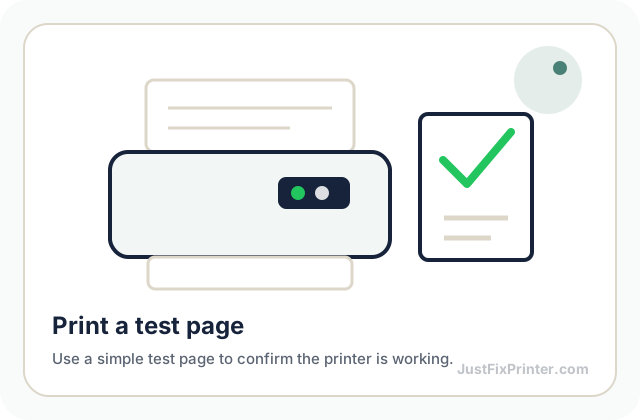
Read guide →A test page is the fastest way to confirm a printer is working end-to-end. Here\'s how to print one on Windows, Mac, and from the printer itself.
Read guide →A print job stuck "Deleting" forever, or a printer that refuses to close because it\'s "in use," almost always means the print spooler needs a manual restart.
Read guide →A printer that worked before a Windows update and stopped after almost always means a driver reset, not real damage. How to fix it.
Read guide →This error means the job you sent is too large for the printer\'s onboard memory — a document problem, not a printer fault.
Read guide →Nothing is stuck — the roller that grabs paper from the tray has stopped gripping it. Usually a worn or dusty roller, sometimes a tray setting.
Read guide →The most common reasons a printer shows offline even when it\'s on, and the fix for each — starting with the most likely cause.
Read guide →A printer that produces extra copies or extra blank pages without being asked usually has one of a few specific, fixable causes — here they are.
Read guide →The print quality setting is the most common cause of slow printing, but not the only one. Here are the real causes, in order of how often each one is it.
Read guide →Why a printer shows a paper-out error with a full tray, and the sensor and loading issues that actually cause it.
Read guide →Why each step of setting up a printer matters, the mistakes that cause most first-time setup failures, and what actually happens behind the scenes.
Read guide →Why print jobs get stuck and never finish, the correct way to clear a jammed queue on Windows and Mac, and how to stop it from happening again.
Read guide →Why printing and scanning can fail independently on the same printer, and the fix for the most common causes, starting with the most likely.
Read guide →Before assuming hardware failure, rule out the power source, cable, and a stuck internal state, in that order. Most \'dead\' printers aren\'t.
Read guide →After a router change or move, the printer needs to fully forget its old network first — that's the step people skip and get stuck on.
Read guide →Nearly every major manufacturer runs a free cartridge recycling program, and many office supply stores accept them too. Here\'s how to find one.
Read guide →Print settings, cartridge sizing, and printer choice all affect cost per page more than most realize. What actually moves the needle.
Read guide →How to combine multiple scanned pages into a single PDF file, using your scanner app, the automatic document feeder, or a free merge tool.
Read guide →Setting up scanning for the first time, on Windows and Mac, wired or wireless, plus the fastest phone-based alternative.
Read guide →Jobs going to the wrong printer, or a \'PDF\' destination showing up first, comes down to the default printer setting. How to fix it.
Read guide →Getting an existing printer working on a new Windows or Mac computer takes minutes if it\'s already on your Wi-Fi network. The process.
Read guide →The right method depends on whether your printer connects over Wi-Fi or USB. Both approaches, for Windows and Mac.
Read guide →For more than two or three people sharing a printer, a network setup with a reserved IP beats relying on one computer staying on.
Read guide →A clean driver reinstall fixes problems a restart can\'t. The full removal process on Windows and Mac, and why partial removal backfires.
Read guide →Why printer firmware updates matter, the safest way to install one without an update failure, and how to check your current firmware version first.
Read guide →Wi-Fi Direct connects a device straight to the printer with no router involved — the printer creates its own small network for the print job.
Read guide →About HP printers, official HP setup links, HP Smart, warranty and registration starting points, manuals, model pages, and JustFixPrinter HP troubleshooting help.
Open HP resources →HP\'s lineup splits into DeskJet, ENVY, OfficeJet, LaserJet, and Smart Tank — each built for a different print volume and use case.
Read guide →Connect your HP printer to Wi-Fi in minutes using the HP Smart app or the printer\'s own control panel, plus fixes if it won\'t connect.
Read guide →HP LaserJet\'s 49-series errors mean the printer received data it couldn\'t process — usually a stuck job, not broken hardware.
Read guide →What HP\'s cartridge options mean — standard vs. XL, Instant Ink, and Smart Tank ink — verified against HP\'s own documentation.
Read guide →HP\'s "ink cartridge access door open" message with the door shut points to the sensor, not the door. The fix sequence, in order.
Read guide →HP+ offers a longer warranty and free Instant Ink months, but permanently locks the printer to genuine HP cartridges — even after you cancel.
Read guide →The safe removal sequence for an HP printer paper jam, where to check beyond the obvious spot, and what a recurring jam on the same model usually means.
Read guide →The real, verified reasons an HP printer stops printing, in order of how often each one turns out to be the cause — and the fix for each.
Read guide →The exact checklist for a printer that won\'t print, in order of likelihood, for HP, Canon, Epson, Brother, and Lexmark.
Read guide →The difference between a power cycle, a network settings reset, and a full factory reset on an HP printer, and when to use each one.
Read guide →How to reset a printer on every major brand — power cycle, network reset, and full factory reset, with the exact menu path for each.
Read guide →How to get scanning working on every major printer brand — the required app, and the one setting each brand hides in a different place.
Read guide →HP scanning runs through HP Smart, with a \'Scan to Computer\' toggle you need to enable once. The full setup, step by step.
Read guide →Canon\'s B200 error points to a printhead fault — often overheating or a dirty printhead, sometimes a real failure. The recovery steps to try.
Read guide →What Canon\'s PG and CL cartridge codes mean, Standard vs. XL vs. XXL yields, and how MegaTank compares — verified against Canon\'s docs.
Read guide →Why a Canon printer shows a Cover Open error even when every cover looks closed, and the exact sequence that clears it.
Read guide →The safe removal sequence for a Canon printer paper jam, the specific error codes Canon shows for jams, and where to check beyond the obvious front tray.
Read guide →Nine times out of ten, a Canon printer that won\'t print is failing for one of a small set of checkable reasons, in order of likelihood.
Read guide →Canon calls the ink-access lid the "scanning unit" since it doubles as the scanner lid. How to clear this message when it looks closed.
Read guide →Canon\'s lineup splits into PIXMA, MAXIFY, imageCLASS, and MegaTank — each built for a different job and use case.
Read guide →Get a Canon printer onto Wi-Fi fast using the Canon PRINT app or the control panel, plus what to check if setup keeps failing.
Read guide →The difference between a power cycle, a network settings reset, and a full factory reset on a Canon printer, and when to use each one.
Read guide →Canon scanning runs through IJ Scan Utility, bundled with the full driver package rather than installed separately.
Read guide →Epson\'s lineup splits into Expression, WorkForce, and EcoTank — each aimed at a different print volume and budget.
Read guide →Connect an Epson printer to Wi-Fi fast using the Smart Panel app or the control panel, plus common fixes if it won\'t connect.
Read guide →Standard cartridges vs. EcoTank refillable ink bottles, and what the T-series numbering actually means when buying replacement Epson ink.
Read guide →Why an Epson printer shows a Cover Open error even when every cover looks closed, and the exact sequence that clears it.
Read guide →The safe removal sequence for an Epson paper jam, including why you should never push the print carriage back into position by hand.
Read guide →If your Epson is refusing to print or spitting out blank sheets, you\'re dealing with one of two different problems. How to tell which.
Read guide →Epson\'s scanner unit lifts to reach the ink tanks and has its own lock lever underneath — the most common reason it won\'t close.
Read guide →Epson\'s \'Service Required\' message points to the waste ink pad counter reaching its limit — a maintenance milestone, not a hardware failure.
Read guide →The difference between a power cycle, a network settings reset, and a full factory reset on an Epson printer, and when to use each one.
Read guide →Epson splits scanning across two apps — Epson Scan 2 for your computer, Smart Panel for your phone. Which to use when.
Read guide →How Brother\'s TN-series toner numbering and yield classes work, and why the toner cartridge and drum unit are two separate parts you\'ll buy separately.
Read guide →Brother\'s Machine Error 46 means the ink absorber pad has reached its lifetime limit from cumulative cleaning cycles. What your options are.
Read guide →Brother lasers have two separate covers that trigger this error, and the fuser one is easy to miss behind the back panel.
Read guide →The safe removal sequence for a Brother laser printer jam, including how to check inside the drum unit cavity, and how to avoid touching the drum surface.
Read guide →The real, checkable reasons a Brother printer stops printing, in order of how often each one turns out to be the cause — and the fix for each.
Read guide →Brother and Lexmark both lean toward laser and business-oriented printers rather than consumer photo inkjets. How they\'re organized.
Read guide →Connect a Brother printer to Wi-Fi fast using the control panel, WPS, or the Mobile Connect app, plus fixes if setup fails.
Read guide →A complete guide to replacing toner in a Brother laser printer, including when the drum unit needs replacing too, and how to reset the "toner low" warning.
Read guide →The difference between a power cycle, a network settings reset, and a full factory reset on a Brother printer, and when to use each one.
Read guide →Brother scanning needs the full driver package installed first as a separate step before iPrint&Scan will work.
Read guide →Connect a Lexmark printer to Wi-Fi fast using the control panel Setup Wizard, WPS, or the mobile app, step by step.
Read guide →Lexmark\'s 900 Firmware Error can mean a communication problem or a hardware fault. One test tells you which one you have.
Read guide →How Lexmark\'s toner numbering and yield classes (standard, high-yield, extra-high-yield) work, and how to make sure you order the right one.
Read guide →Lexmark\'s touchscreen usually names the exact door involved — the fastest way to actually fix this, once you notice it.
Read guide →Lexmark printers name the exact jam area on the display rather than leaving you to guess. Here\'s how to read that and clear each area correctly.
Read guide →The real, checkable reasons a Lexmark printer stops printing, in order of how often each one turns out to be the cause — and the fix for each.
Read guide →The difference between a power cycle, a network settings reset, and a full factory reset on a Lexmark printer, and when to use each one.
Read guide →Lexmark scanning uses the printer\'s IP address and the ScanBack Utility, not app-based pairing like most brands.
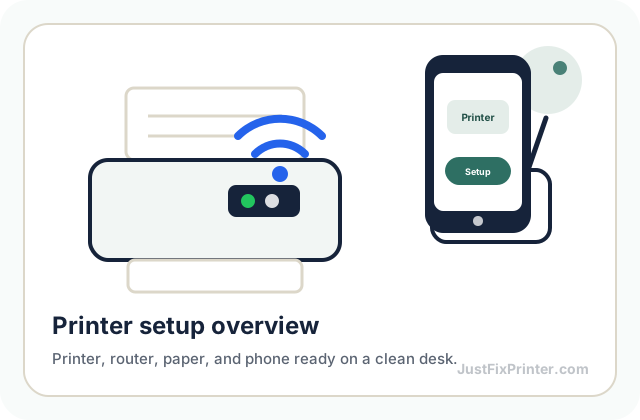
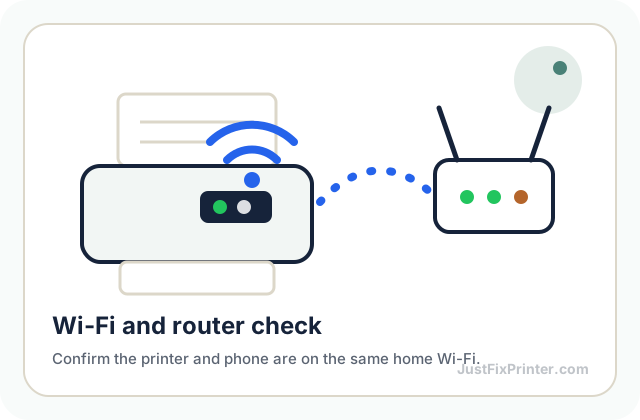
Read guide →These visuals are matched to this page topic. They show the important printer parts, screens, connections, and test steps using lightweight, fast-loading local images.