iPhones use Apple's built-in AirPrint and generally need no app at all. Android's path depends more on the manufacturer, but is just as straightforward once set up. Chromebooks and cloud apps like Google Docs both print through systems that are already built in. Here's all four, plus what to check when a printer doesn't appear.

A slow, clear JustFixPrinter video for this page is being prepared. The written guide below is ready now and follows the same step-by-step support style.

Most AirPrint-compatible printers (which is the large majority of printers made in roughly the last decade) work with iPhone automatically once both devices are on the same Wi-Fi network. From any app, tap the Share icon, then Print, select your printer from the list, adjust copies or range, and print. If your printer doesn't appear in the list, it's not an app issue — it means either the printer isn't AirPrint-compatible (check your model's specifications) or it isn't on the same network as your phone. If AirPrint specifically keeps failing, see the dedicated AirPrint troubleshooting section below.
Android doesn't have one universal built-in system the way AirPrint works on iPhone, so the reliable method is installing your printer manufacturer's app (HP Smart, Canon PRINT, Epson Smart Panel, Brother Mobile Connect), which handles both the initial printer discovery and the printing itself. From any app, tap Share or the menu (three dots), choose Print, and if your manufacturer's print service is installed, your printer should appear as an available destination. Many Android phones also have a built-in "Default Print Service" in Settings → Connected devices → Printing that can discover network printers without any app at all, though the manufacturer app tends to be more reliable for full feature support like scanning ink levels.
ChromeOS has printing built in, and it discovers most network printers automatically — no separate driver install needed for basic printing. Confirm the printer is on the same Wi-Fi network as the Chromebook first (not a guest network), since this is the single biggest requirement and skipping it is the most common reason a printer doesn't show up. Then open Settings → Advanced → Print and scan → Printers. ChromeOS scans the network and lists nearby printers automatically — select yours and it will typically configure itself with no further input. If it's not listed, click Add printer and Chromebook will do a fresh scan. From any app or webpage after that, press Ctrl+P or use the menu's Print option, select your printer, and print — this works the same way across Chrome browser tabs, Google Docs, and most Android apps installed on the Chromebook.
If your printer doesn't appear automatically: double-check you're not accidentally looking at "Save as PDF," which ChromeOS defaults to until a real printer is set up. If automatic discovery still doesn't find it, click Add printer → Add manually and enter the printer's IP address along with its protocol (usually IPP, which most modern printers support) — you can find the IP address on the printer's own display or by printing a network status page. ChromeOS relies on standard printing protocols like IPP rather than manufacturer-specific software, so very old printers that predate these standards may not be discoverable at all, though this is uncommon for anything made in the last decade. As a fallback, some Chromebooks and printers support USB printing — connect via a USB-C to USB cable if your printer has a port, and ChromeOS will typically detect it as a local printer without needing network discovery.
Printing from Google Docs, Google Sheets, or similar cloud-based apps works through your browser's normal print function — it uses whatever printer is already set up on your device, the same as printing from any desktop application. With your document open, press Ctrl+P (Windows/Chromebook) or Cmd+P (Mac), or use the app's own File → Print menu. This opens your browser's standard print dialog, listing every printer already configured on your computer — select the one you want and print normally. There's no separate "cloud printing" setup required for this to work; the printer just needs to already be added to your device the normal way.
From the Google Docs, Sheets, or Slides mobile apps, open the document, tap the menu (three dots), and select Print (sometimes under a "Share & export" submenu depending on the app version). This hands off to your phone's normal print system — AirPrint on iPhone, or your manufacturer's print service on Android — the same as printing from any other app on your phone.
Do you still need "Google Cloud Print"? No. Google's original Cloud Print service (a separate system for routing print jobs through Google's servers) was discontinued some years ago and is no longer needed or usable. Modern printing from any Google app works through your device's normal local printing system exactly as described above — if you're seeing outdated instructions referencing Cloud Print specifically, they're describing a service that no longer exists.
If a printer doesn't show up specifically from Google Docs but works fine from other apps on the same device, the cause is more likely that document or browser tab than your printer setup itself — try printing a simple test document from the same app to confirm, and check that your browser is up to date. Complex formatting (unusual fonts, precise custom margins, certain embedded objects) can also occasionally render slightly differently when printed from a browser-based app compared to a desktop word processor; checking the print preview within the app is the right first step if output looks visually off in a way unrelated to printer settings.
If you're somewhere without a shared network, check your printer's Wi-Fi Direct settings — most manufacturer apps support a temporary direct connection between your phone and the printer that doesn't need a router at all.
AirPrint is Apple's built-in wireless printing standard, so when it doesn't work the cause is almost always network-related rather than a problem with the printer or your iPhone itself. Check these in order of likelihood.
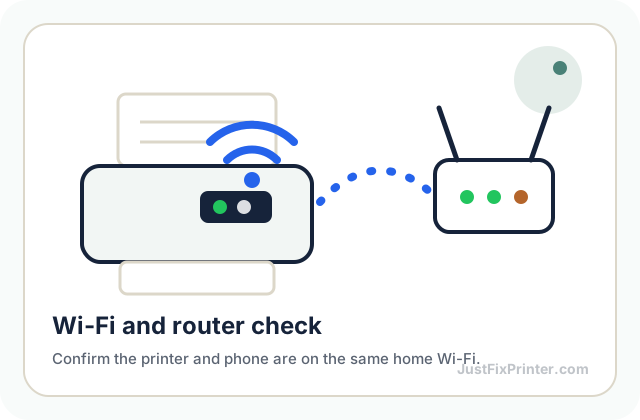
Your iPhone and printer are on different networks. This is by far the most common cause. AirPrint needs both devices on the exact same Wi-Fi network[1] — not a guest network, not mobile data, and not a separate 5GHz network name if your router splits bands. Check your iPhone's Wi-Fi settings and the printer's own network status display side by side.
Your printer doesn't actually support AirPrint. AirPrint has been standard on most inkjet and laser printers made in roughly the last decade, but some budget or older models never supported it. Check your exact model's specifications on the manufacturer's site if it never appears in the print dialog at all, even on the same network.
Your router is isolating devices from each other. Some routers have a security feature (often called "AP isolation" or "client isolation") that prevents devices on the same Wi-Fi network from seeing each other — designed for guest networks, but sometimes enabled by default on the main network too. Check your router's wireless settings for this option and disable it if found.
A simple restart clears a surprising number of AirPrint issues. Turn the printer off and back on, and toggle Wi-Fi off and on on your iPhone (Settings → Wi-Fi). This resets both devices' network discovery without needing to change any settings. If a print job starts but stalls partway through rather than failing to find the printer at all, that's usually a weak Wi-Fi signal at the printer's location rather than an AirPrint problem specifically — try moving the printer closer to the router.
It works from one app but not another. AirPrint support is built into the app calling it, not just the operating system — the overwhelming majority of apps support it through the standard iOS share sheet, but a small number of apps (particularly ones handling proprietary file formats) implement their own printing logic that can behave differently. If Safari and Photos print fine but one specific app doesn't, that app's own printing implementation is the more likely cause, not your printer or network.
Different networks. By far the most common cause on every platform — the device needs to be on the exact same Wi-Fi network as the printer, not a guest network, and not mobile data.
Printer's Wi-Fi connection dropped. Check the network status on the printer's own display; if it shows disconnected, nothing can discover it no matter what app or device you're using.
Bluetooth vs. Wi-Fi confusion. Some printers support Bluetooth for very close-range printing separate from Wi-Fi printing — make sure you're not trying to use one connection method while the app expects the other.
Download this exact page as a PDF to keep or print — no email required.
Get the printer onto your network first, and mobile and cloud printing both follow automatically.
See the Wi-Fi setup guideThree ways to get any printer onto your network.
Read the article →Setup on a computer, plus the phone-based alternative.
Read the article →The most frequent printer problems and how to fix each one.
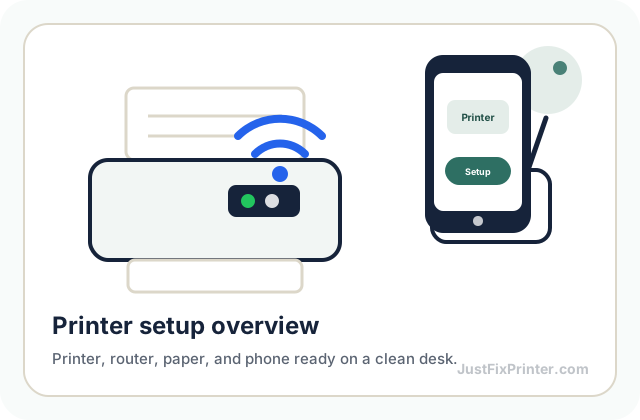
Read the article →These visuals are matched to this page topic. They show the important printer parts, screens, connections, and test steps using lightweight, fast-loading local images.